

Guide
Band configuration
In the dashboardLocationsDeviceBand configuration
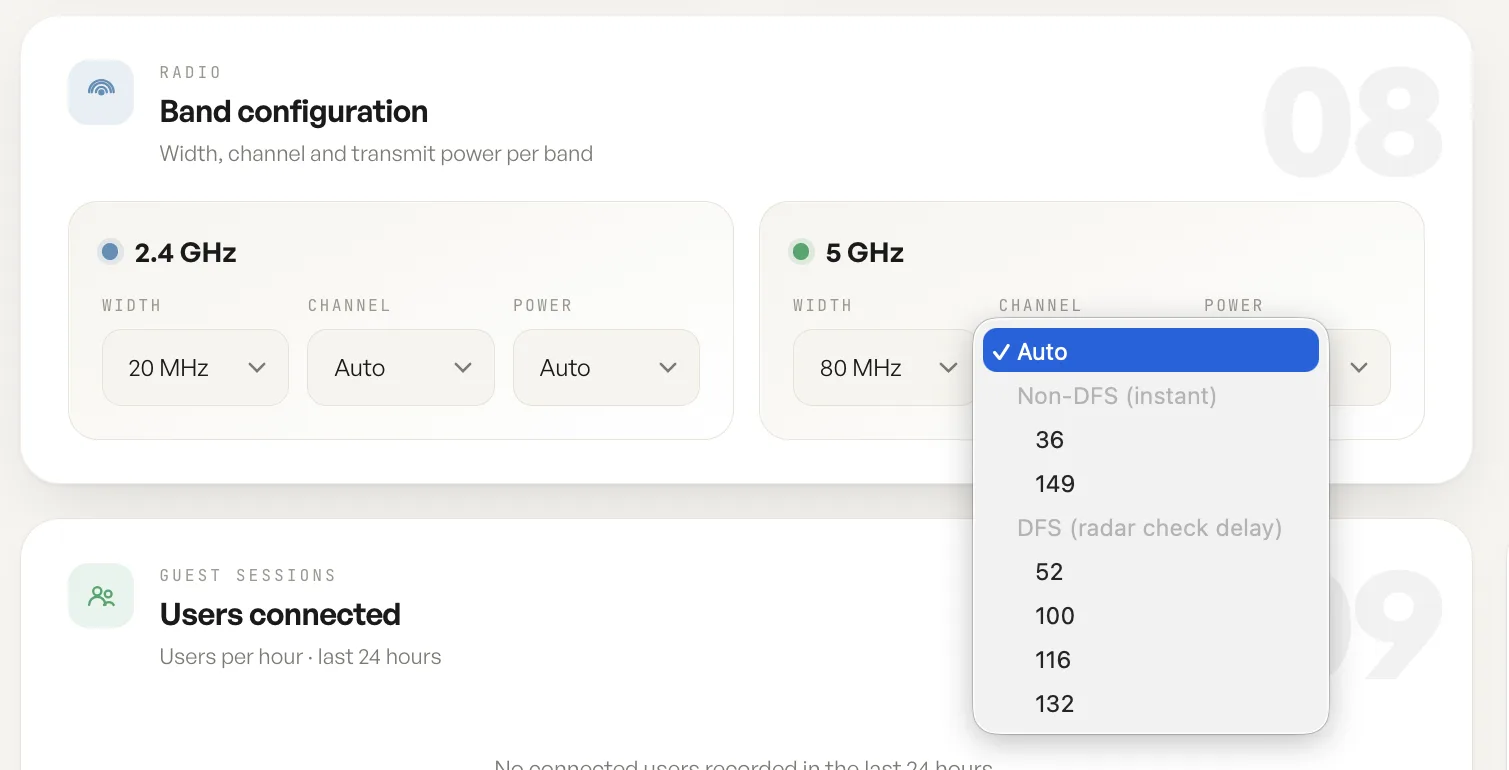
The band configuration card holds the radio settings for this access point, one column per band.
Channel and channel width
Section titled “Channel and channel width”Width is how much spectrum a radio occupies. A wider channel carries more throughput and overlaps with more of its neighbours, which is why 2.4 GHz runs narrow and 5 GHz runs wide by default.
Channel is set to Auto by default. Auto plans the channel per band across the access points at a location, so neighbouring units do not sit on top of each other. Picking a channel by hand pins that radio and takes it out of the plan.
DFS and non-DFS channels
Section titled “DFS and non-DFS channels”The 5 GHz list is in two groups, and the difference is how quickly the radio can start using what you pick.
Non-DFS channels, 36 and 149, are yours to use immediately. DFS channels, 52, 100, 116 and 132, are shared with radar, so before the radio may transmit on one it has to listen for radar first. The list labels that wait rather than hiding it, and it is why a DFS channel does not come up the instant it is saved.
DFS channels are worth using: they are the least congested part of the band. Just expect the delay when you pin one, and expect the radio to move off it if radar is detected later.
Transmit power
Section titled “Transmit power”Transmit power is left on Auto by default, and the alternatives are Low, Medium and High. Auto trims power where units are close together, which keeps clients moving between access points instead of clinging to a distant one. Pinning a level takes that radio out of the trimming, so Low suits dense deployments where cells should stay small, and High suits a lone unit covering as much ground as it can.
What is not set here
Section titled “What is not set here”The network settings a guest sees are not on this card. The SSID, the way guests are allowed on, and the bands a given network broadcasts on are network settings rather than radio settings.
Fields
| Field | What it does | Default |
|---|---|---|
| Width (2.4 GHz) | Channel width for the 2.4 GHz radio. | 20 MHz |
| Channel (2.4 GHz) | The channel this radio sits on, or Auto to let it be planned. | Auto |
| Power (2.4 GHz) | Transmit power for the 2.4 GHz radio: Auto, Low, Medium or High. | Auto |
| Width (5 GHz) | Channel width for the 5 GHz radio. | 80 MHz |
| Channel (5 GHz) | Auto, a non-DFS channel that starts instantly, or a DFS channel that waits on a radar check. | Auto |
| Power (5 GHz) | Transmit power for the 5 GHz radio: Auto, Low, Medium or High. | Auto |
Notes
- Each band is set independently. A change to one radio leaves the other alone.
- The 5 GHz list separates non-DFS channels, which start instantly, from DFS channels, which wait on a radar check.