

Guide
Outage alerts
In the dashboardLocationsMonitoring
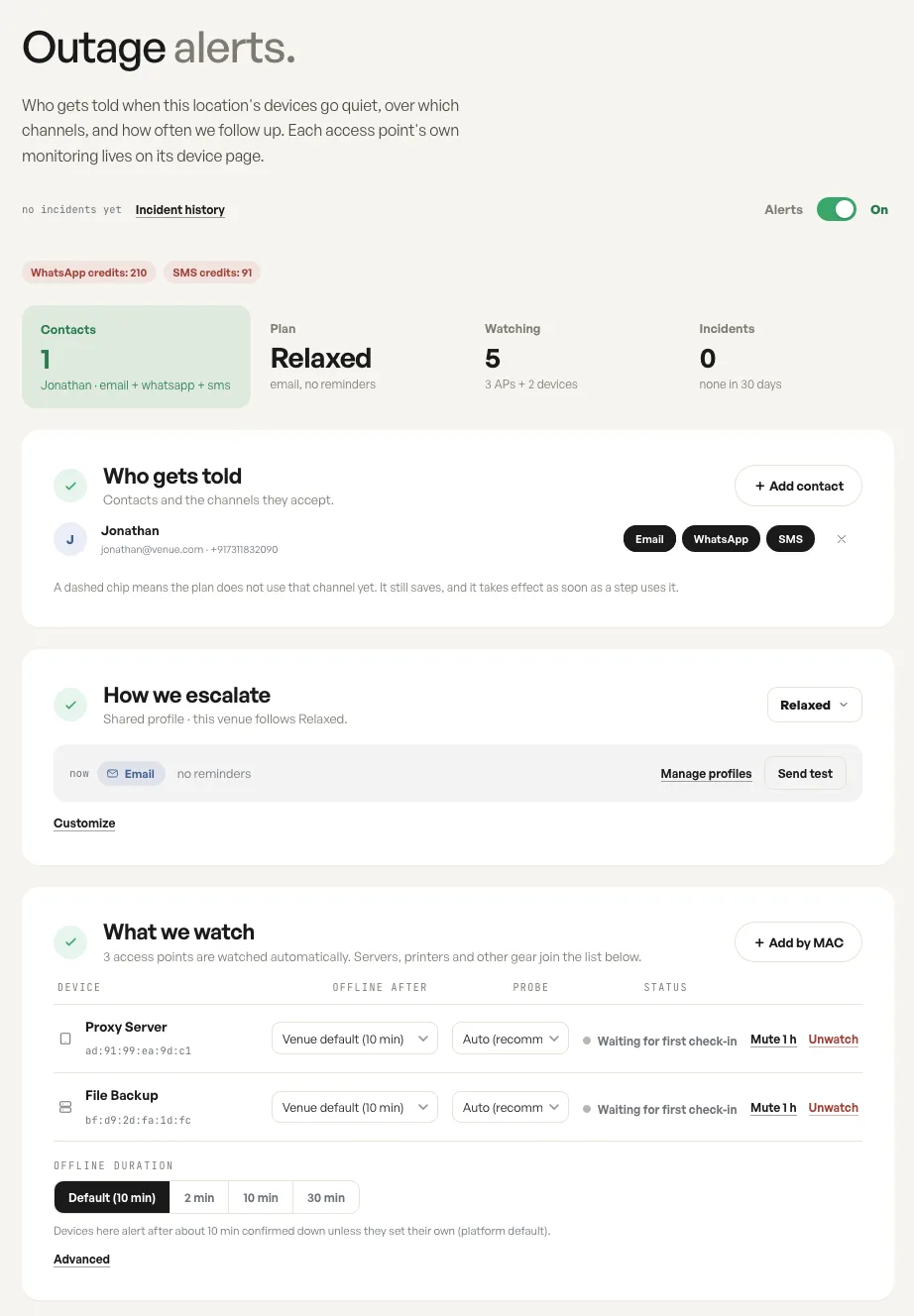
This page decides who hears about an outage here, over which channels, and how often the reminder repeats until somebody acknowledges it. The summary row reports the plan in force, the devices watched, and the incidents opened in the last thirty days.
Who gets told
Section titled “Who gets told”Contacts are people, and each carries the channels they accept: email, WhatsApp or SMS. A contact with only email set is never sent an SMS, even when the plan uses one.
A dashed chip means the plan does not use that channel yet. It still saves, and takes effect the moment a step calls for it, which lets you prepare a contact before changing the plan.
How we escalate
Section titled “How we escalate”The escalation profile is a named, shared plan rather than a per location setting. It decides which channels go out immediately, which follow later, and how often the reminder repeats until the incident is acknowledged.
Because it is shared, editing a profile changes every location following it. Contacts are never part of one: they live on the location.
What we watch
Section titled “What we watch”Access points are watched automatically. Servers, printers and other gear are added by MAC address into the same list, and every row carries its own offline duration and probe. The list, the venue default of ten minutes and the Advanced seconds field are on Watched devices.
A device added but not yet heard from reads as waiting for its first check-in. That is not an outage: nothing is sent until it has reported once and then stopped.
Fields
| Field | What it does | Default |
|---|---|---|
| Alerts | Turns alerting on or off for the whole location. | On |
| Contacts | The people told when a device goes quiet, with the channels each accepts. | None |
| Channels per contact | Email, WhatsApp or SMS, chosen per contact. | |
| Escalation profile | The named plan this location follows: its channels and reminder interval. | The account default when the location was created |
Notes
- A dashed channel chip means the plan does not use that channel yet. The choice still saves, and it takes effect as soon as a step uses it.
- Each access point also has its own monitoring card on its device page, which can override what is set here.
- A device that has never reported yet shows as waiting for its first check-in rather than as offline.