

Guide
Watched devices
In the dashboardLocationsMonitoringWhat we watch
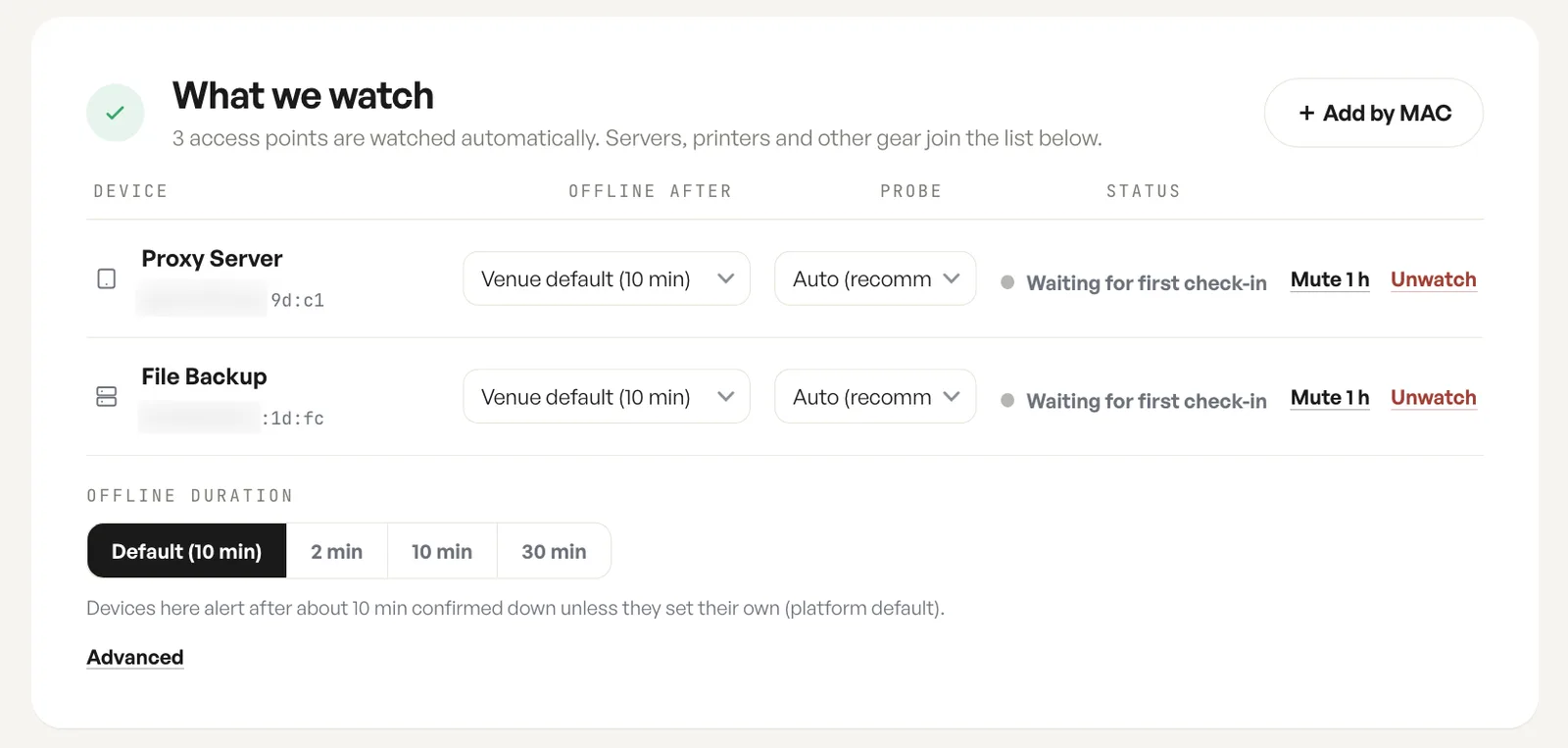
Watching a device means you hear about it when it stops responding. It is the same alerting path as an access point outage, pointed at something else on the network; who is told and how it escalates is on Outage alerts.
Offline after, probe and status
Section titled “Offline after, probe and status”The watch list lives on the location, and every row carries the same controls: how long the device may be unreachable before it counts as offline, how it is probed, what it is doing now, and per row actions to mute it for an hour or stop watching it.
Access points are watched automatically. Anything else joins the list by MAC address.
Offline after, and the venue default
Section titled “Offline after, and the venue default”A row left on the venue default follows the offline duration set for the location, so raising or lowering that one value moves every device that has not set its own. A row given its own value ignores the venue default from then on.
The venue duration itself is a preset: the platform default of ten minutes, or two, ten or thirty. Advanced opens a seconds field for a value the presets do not offer, and it starts at whatever the current preset is worth, so 10 min reads as 600. Picking a preset again leaves the custom value behind.
Each access point’s own device page shows the devices watched through it with a responding count, the quickest way to see whether a problem is one device or one radio.
Watches are held by MAC address
Section titled “Watches are held by MAC address”A watch is held by MAC address rather than by a row in the client list. Removing a device from the client list never removes its watch: the watched device keeps its settings, and it re-binds when that address is seen again.
So when a lease expires or a device is swapped, the watch survives and reports again the moment the address reappears.
Fields
| Field | What it does | Default |
|---|---|---|
| Add by MAC | Adds a server, printer or client to the watch list by its MAC address; access points are watched automatically. | Not set |
| Offline after | How long this device may be unreachable before it counts as offline. | Venue default (10 min) |
| Probe | How this device is tested. | Auto (recommended) |
| Status | What the device is doing now: waiting for first check-in, active or offline. | Read only |
| Mute 1h | Suppresses alerts for that one watched device for an hour. | Not muted |
| Unwatch | Stops watching the device and removes its row. | Not set |
| Offline duration | The venue default inherited by every row left on it, as a preset: the platform default, 2, 10 or 30 minutes. | Default (10 min) |
| Offline after (seconds) | Under Advanced. Sets the venue duration to an exact number of seconds instead of a preset. | Matches the selected preset |
Notes
- Watches are held by MAC address, so a device keeps its watch across reconnections and address changes.
- Monitoring covers client devices, servers and printers, not only Halo access points.
- Access points at a location are watched automatically and do not need adding.
- Picking a preset again drops a custom duration set under Advanced.