

Guide
Marketing triggers
In the dashboardLocationsNetworkMarketing triggers
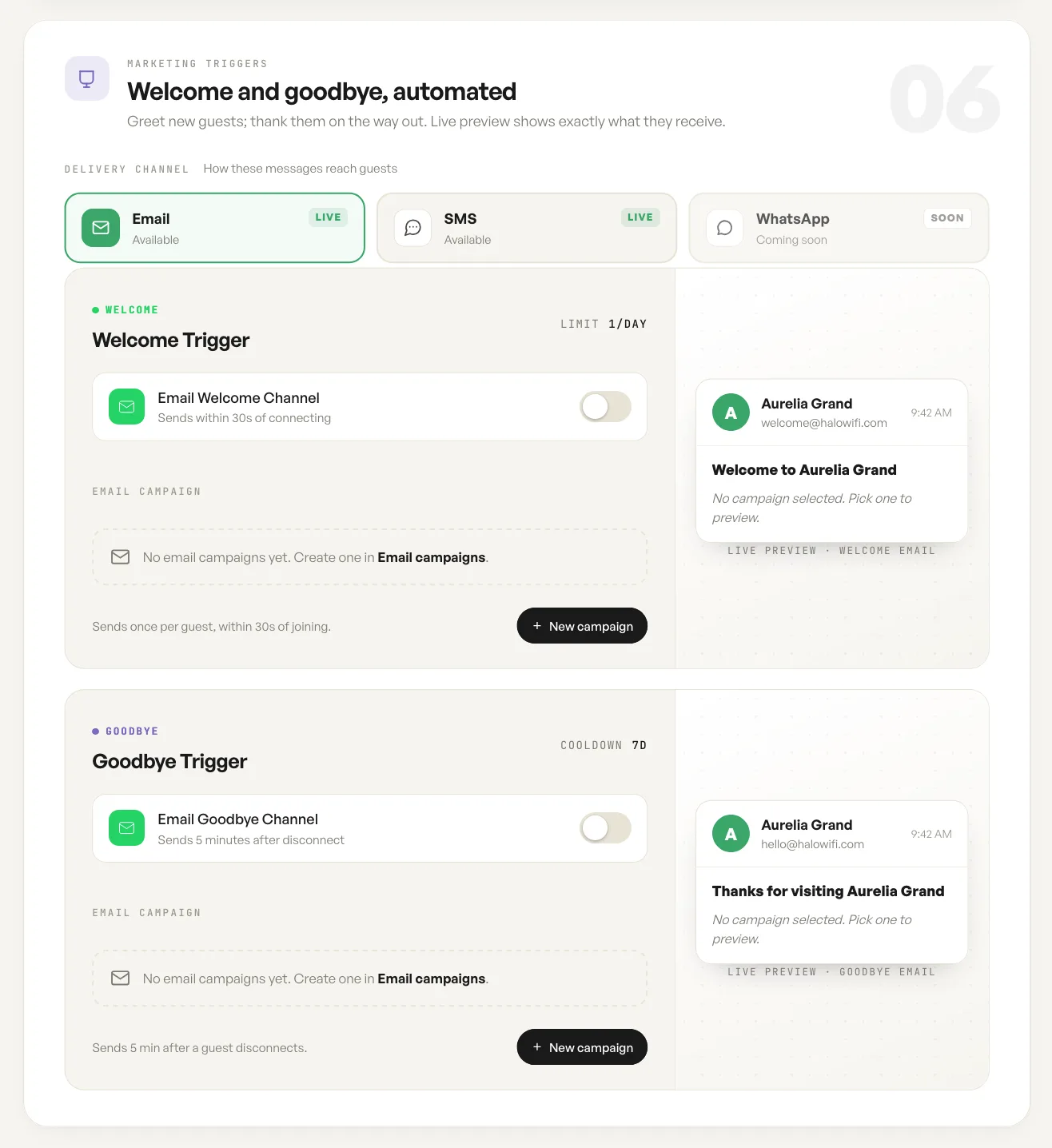
Triggers send a message on a guest action rather than on a schedule. There are two, one at each end of a visit.
Welcome and goodbye
Section titled “Welcome and goodbye”The welcome trigger fires within 30 seconds of a guest joining, once per guest. The goodbye trigger fires five minutes after a guest disconnects, not at the moment of disconnection. That delay is deliberate: a guest who walks through a dead spot and reconnects is not thanked for leaving.
Each trigger sends a campaign, and a campaign is built separately. Until one is selected the trigger has nothing to send and stays idle.
The preview
Section titled “The preview”The preview pane shows the message as the guest receives it: sender name, from address, subject and body. Check the from address there before turning a trigger on, because that is the part a guest judges first and the part you cannot take back once it has gone out.
Fields
| Field | What it does | Default |
|---|---|---|
| Delivery channel | How trigger messages reach guests. | |
| Welcome trigger | Sends once per guest, within 30 seconds of joining. | Off |
| Welcome campaign | The campaign sent by the welcome trigger, chosen from those built under Email campaigns. | None |
| Goodbye trigger | Sends 5 minutes after a guest disconnects. | Off |
| Goodbye campaign | The campaign sent by the goodbye trigger. | None |
Notes
- A trigger with no campaign selected stays idle, and the preview says so.
- The welcome trigger is limited to one message per guest per day.
- The goodbye trigger has a seven day cooldown, so a returning guest is not thanked repeatedly.