

Guide
Monitoring profiles
In the dashboardMonitoringProfiles
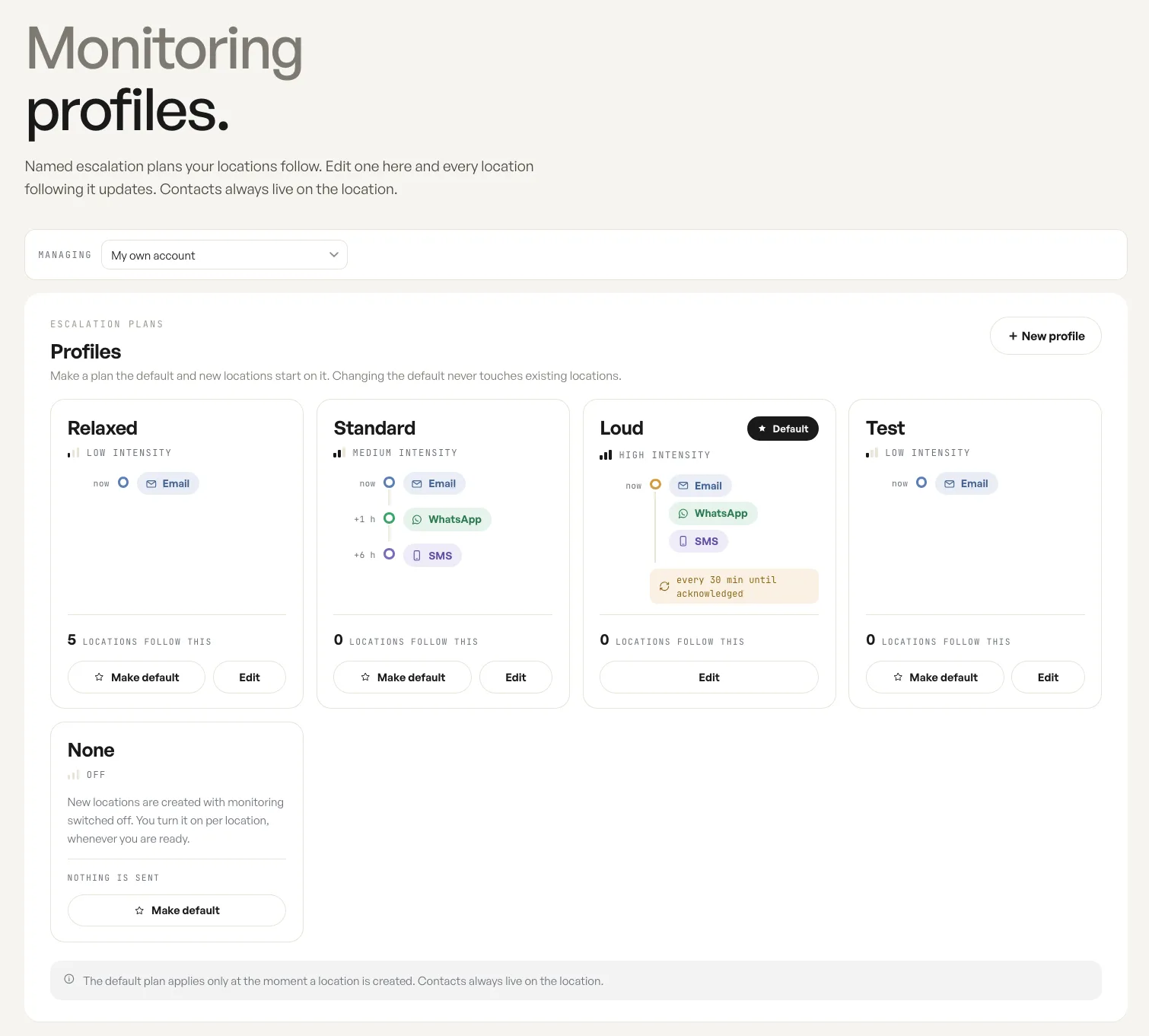
A monitoring profile is a named escalation plan. Rather than setting channels and reminder intervals on every venue, you write the plan once and point locations at it.
Editing a plan changes every location on it
Section titled “Editing a plan changes every location on it”A profile is shared. Editing one updates every location following it, which is the point: a change to how your organisation escalates is made in one place rather than venue by venue. Each card shows how many locations follow it, so you can see the blast radius before you open it.
What a plan holds is the sequence: which channel goes out immediately, which follow after a delay, and how often the reminder repeats until somebody acknowledges the incident.
The default applies only at creation
Section titled “The default applies only at creation”One plan carries the default star, and that is the plan a newly created location starts on.
Changing which plan is the default never touches locations that already exist. It applies at the moment a location is created and not afterwards, so promoting a different default is safe: nothing in production moves.
What a profile never contains
Section titled “What a profile never contains”Contacts live on the location, never in the profile. Two venues can follow the same plan and tell entirely different people, because the plan decides the channels and the timing while the location decides the recipients.
Fields
| Field | What it does | Default |
|---|---|---|
| Profile | A named escalation plan: the channels that go out, when they follow, and how often the reminder repeats. Five ship: Relaxed, Standard, Loud, Test and None. | The starred plan, for new locations |
| Intensity | How loud a plan is, shown on each card as low, medium, high or off, set by the plan's own steps. | Read only |
| Locations follow this | How many locations currently use the plan. | Read only |
| Make default | Marks the plan new locations start on; one plan carries the star at a time. | Not set |
| Edit | Opens the plan's steps: which channel fires now, which follow later, and the repeat interval. | Not set |
| Managing | Which account's profiles are shown. | Your own account |
Notes
- Contacts are never part of a profile. They always live on the location.
- The None plan sends nothing. New locations created on it have monitoring switched off until you turn it on per location.