

Guide
SSID configuration
In the dashboardLocationsNetworkHow guests find & join
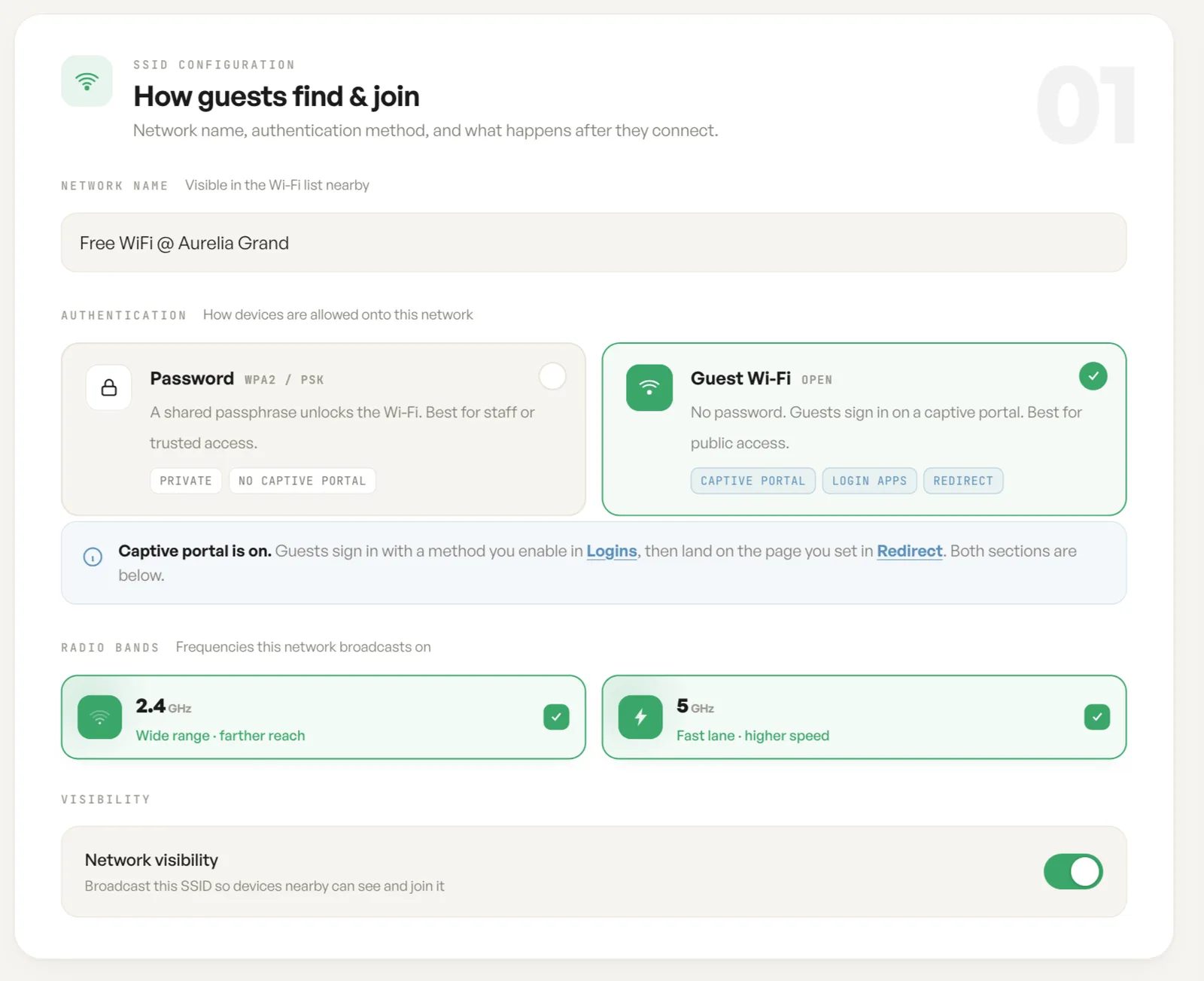
This card is what a guest meets: the name they look for, the way they are let on, and the bands it goes out over. It is filled in once at registration and edited here afterwards.
Network name
Section titled “Network name”The network name is the SSID that appears in the Wi-Fi list nearby. Use the venue’s public name rather than an internal code, because this is the string a guest has to recognise.
Password or Guest Wi-Fi
Section titled “Password or Guest Wi-Fi”Password is WPA2 with a pre-shared key. The network is private, there is no captive portal, and nothing is shown to the user once they are on. Use it for staff, back of house and trusted devices.
Guest Wi-Fi is open at the radio layer, so there is no passphrase to hand out. Devices are held at a captive portal and join through the login app enabled on this network, under Choose a login app. The card carries three capability tags for this reason: captive portal, login apps and redirect.
An existing passphrase is never displayed back. The password field reads as unchanged, and typing replaces it.
Radio bands and hidden SSIDs
Section titled “Radio bands and hidden SSIDs”2.4 GHz reaches further through walls and floors. 5 GHz carries more throughput over shorter distances. Leaving both on is the normal choice, and clients pick between them.
Network visibility broadcasts the SSID. Turn it off for a hidden network, where a device has to be told the name rather than shown it.
Fields
| Field | What it does | Default |
|---|---|---|
| Network name | The SSID shown in the Wi-Fi list on nearby devices. | Empty |
| Authentication | How devices are allowed onto this network: Password (WPA2 / PSK) or Guest Wi-Fi (open). | Password |
| Wi-Fi password | The shared passphrase, minimum 8 characters. An existing passphrase is never shown back, so the field reads as unchanged until you type a replacement. | Unchanged |
| Radio bands | The frequencies this network broadcasts on, 2.4 GHz and 5 GHz. | Both on |
| Network visibility | Whether nearby devices can see and join the SSID. | On |
Notes
- At least one radio band has to stay on.
- Changing the authentication method changes what the rest of the page offers.