

Guide
Choose a login app
In the dashboardLocationsNetworkHow guests authenticate
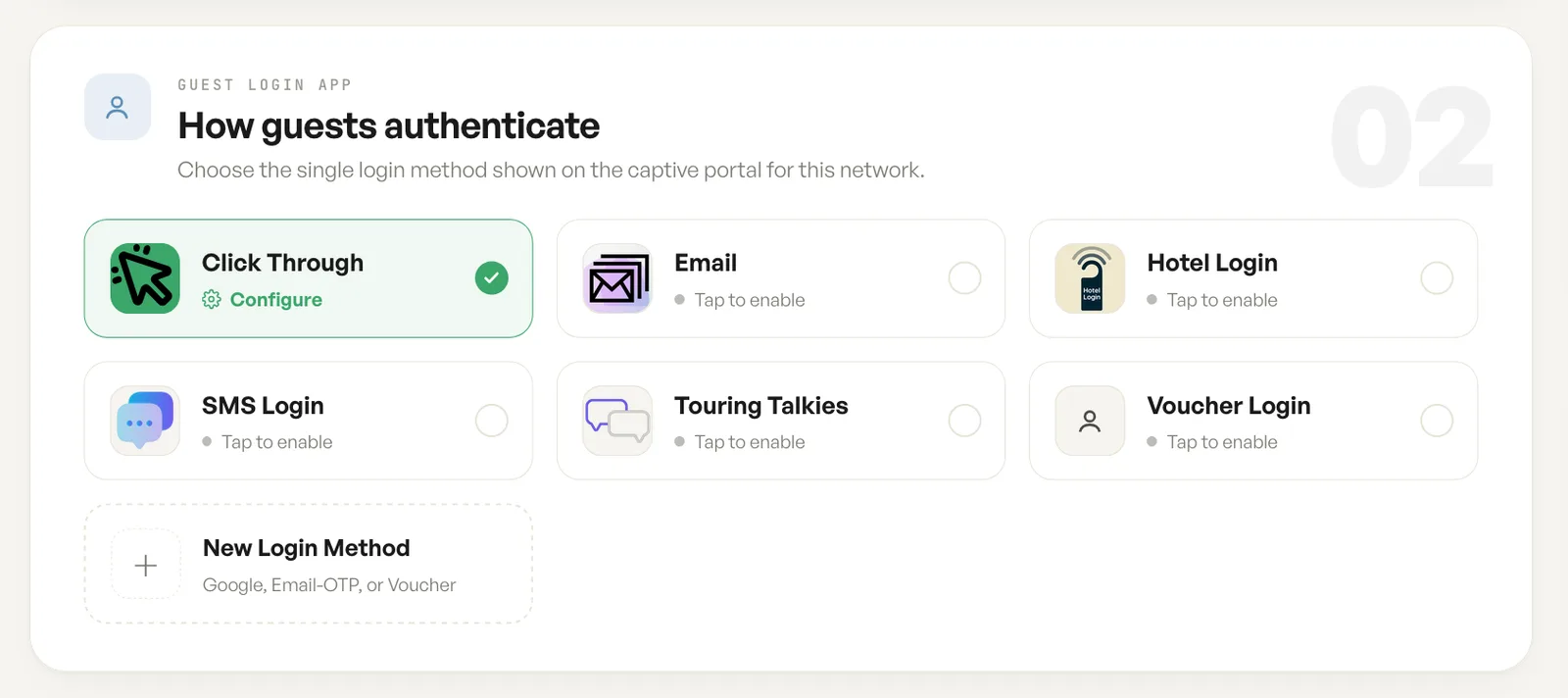
The login app is the single method a guest meets on the captive portal. This card is where you choose which one that is.
One login app per network
Section titled “One login app per network”One method is shown on the portal at a time. Turning one on is what a guest will be asked for, so the decision is about how much friction is worth the data: click through asks nothing and admits everyone, while email, SMS and hotel sign in each trade a step of friction for something you keep.
A guest network will not run without one. On the location card every app starts unselected and the card marks the choice as required; on the registration screen, the one shown above, Click Through arrives selected with a Configure link beside it. Either way it is a decision to make rather than a default to accept.
Login app, then redirect
Section titled “Login app, then redirect”The captive portal notice on this network states the sequence plainly: a guest signs in with the method enabled here, then lands on the page set as the redirect. The two settings are separate cards, and both belong to the same journey.
Adding a method
Section titled “Adding a method”New Login Method covers the further options, including Google, a one time code by email, and vouchers. A method added here appears alongside the others and is enabled the same way. Every app, shipped or your own, lives in the Login apps library, and any account can build one of its own.
Fields
| Field | What it does | Default |
|---|---|---|
| Click Through | The guest accepts the terms and goes online. Nothing is asked of them. | Selected on the registration screen, not on the location card |
| The guest gives an email address before going online. | Not selected | |
| SMS Login | The guest gives a phone number and is sent a code. | Not selected |
| Hotel Login | The guest gives a first name and room number. | Not selected |
| Voucher Login | The guest redeems a code issued in advance. | Not selected |
| Touring Talkies | An SMS login with name and email, built for Touring Talkies buses. | Not selected |
| New Login Method | Adds a further method, such as Google, email OTP or voucher. | Not set |
Notes
- Login apps apply to Guest Wi-Fi networks only. A Password network never shows a portal, so nothing here applies to it.
- A guest login app is required on a Guest Wi-Fi network. The location card marks it so and leaves the choice to you; the registration screen starts on Click Through.
- A method with a Configure link needs its settings filled in before it does anything.