

Guide
Modem connection
In the dashboardLocationsDeviceModem connection
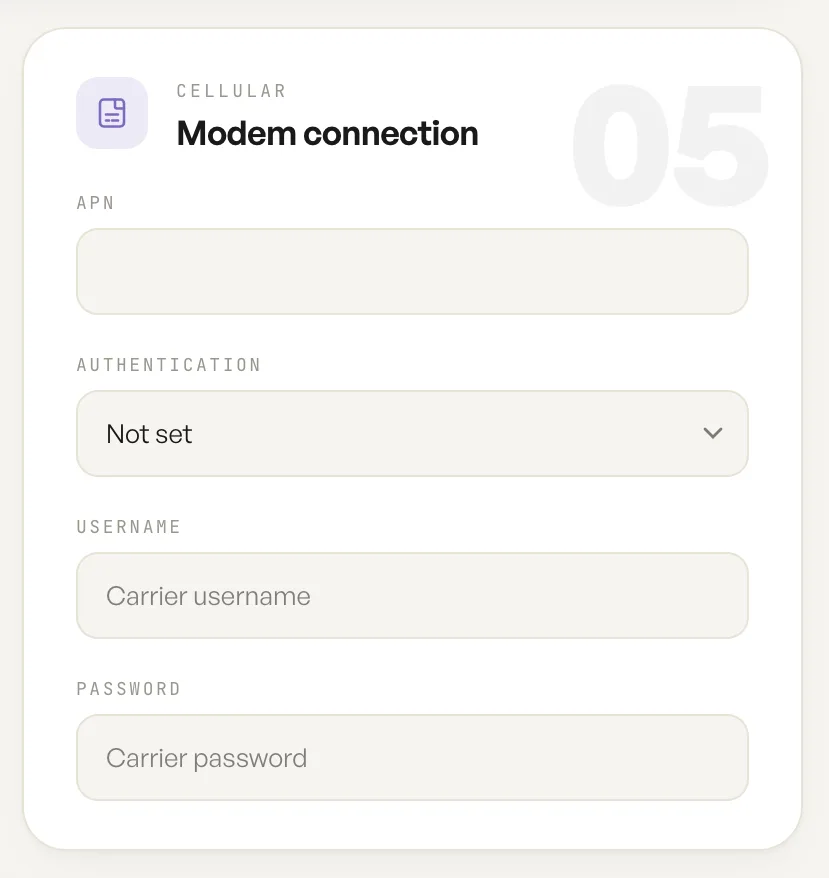
This card holds the cellular settings for units fitted with a modem.
The APN is the access point name the carrier expects. Most carriers need only this value, and it is the one setting to get right before anything else on the card matters.
Authentication, username and password
Section titled “Authentication, username and password”Authentication is left unset by default, which suits most carriers. A username and password are used on private APNs and on some mobile virtual network operators, where the carrier issues credentials alongside the APN. On a consumer SIM these are usually left empty.
Fill them in only when the carrier has actually issued them. A username and password entered against an APN that does not expect them can fail the data call just as surely as leaving a required pair blank.
When the card is relevant
Section titled “When the card is relevant”The card belongs to units fitted with a modem. On a unit that takes its uplink from a cable there is nothing here to set, and the network reaches the internet over that wired connection instead.
Where a modem is the uplink, it is worth setting these values before the unit is mounted. A device on a pole or a ceiling is a poor place to discover that an APN was mistyped.
Fields
| Field | What it does | Default |
|---|---|---|
| APN | The access point name the carrier expects when the modem raises a data call. | Empty |
| Authentication | The authentication method the carrier requires on this APN. | Not set |
| Carrier username | The username, where the APN requires one. | Empty |
| Carrier password | The password, where the APN requires one. | Empty |
Notes
- A unit with a SIM and no APN will not raise a data call.