

Guide
Address and ports
In the dashboardLocationsNetworkAddressing & roaming
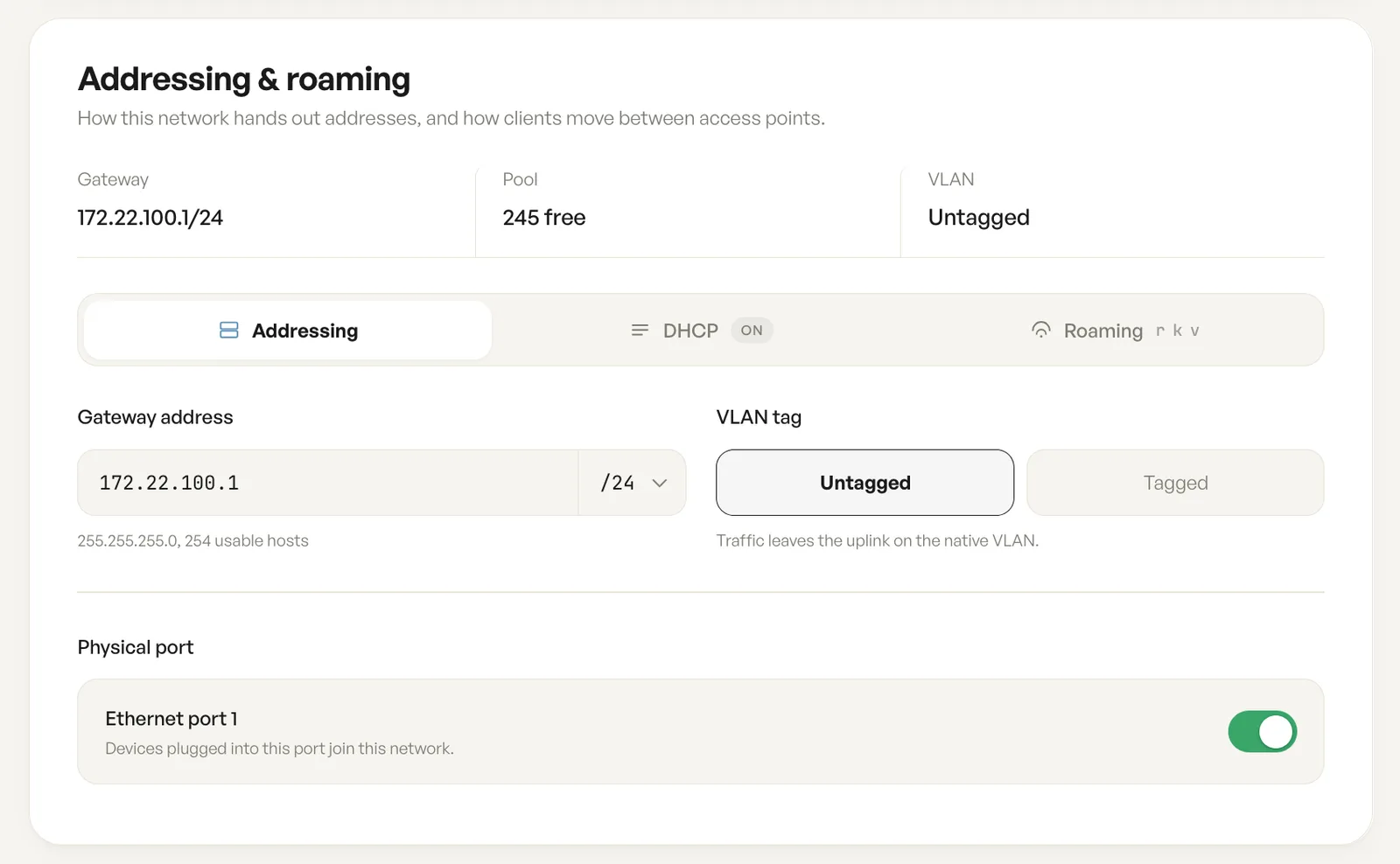
This card is the network’s addressing: the gateway and prefix, the DHCP pool, the VLAN tag, the ethernet port, and how clients roam between access points. The summary row above the tabs reports the gateway, the free addresses in the pool and the VLAN tag.
Gateway address and prefix
Section titled “Gateway address and prefix”The gateway is the address the access point answers on, and the prefix beside it sets how big the network is. The card states the resulting mask and usable host count, so a change is visible before it is saved.
Physical port
Section titled “Physical port”With the physical port on, anything plugged into that ethernet port joins this network and takes the addressing and VLAN tag set here.
The DHCP server
Section titled “The DHCP server”With the DHCP server on, this network leases addresses to clients. The pool sets the first and last address handed out; addresses below it are reserved for the network and gateway, and the top address is the broadcast address.
DNS servers
Section titled “DNS servers”Clients inherit whatever resolvers the uplink advertises. Choosing Custom replaces them for this network.
Lease time
Section titled “Lease time”Twelve hours suits a venue where guests come and go; a shorter lease returns addresses sooner, which matters on a busy network with a small pool.
The VLAN tag puts client traffic onto a VLAN ID upstream of the access point, which is how guest traffic stays separate from staff or point of sale traffic on a shared switch. Untagged is the default and leaves traffic on the native VLAN; Tagged asks for the ID the upstream switch expects.
Roaming: 802.11r, 802.11k and 802.11v
Section titled “Roaming: 802.11r, 802.11k and 802.11v”Three standards decide how a client moves between access points, and all three are on by default.
Fast transition (802.11r) hands a client over without a full re-key, so a call survives the move. Neighbour reports (802.11k) publish nearby access points, so a client picks its next one without scanning every channel. Steering requests (802.11v) ask a client to move to a better access point.
Minimum signal sets when that request goes out, from -90 permissive to -55 aggressive; at the -70 dBm default a client weaker than that is asked to move. A client can refuse: these are requests, not commands.
Fields
| Field | What it does | Default |
|---|---|---|
| Gateway address | The address of the network gateway, with the prefix length beside it. | Set when the network is created |
| VLAN tag | Untagged leaves traffic on the native VLAN. Tagged puts it on a VLAN ID upstream of the access point. | Untagged |
| Physical port | Whether devices plugged into the ethernet port join this network. | Off |
| Run a DHCP server | Leases addresses to clients on this network. | On |
| Address pool | The first and last address handed out to clients. | From .10 to .254 |
| DNS servers | Which resolvers clients are given: From the uplink, or Custom. | From the uplink |
| Lease time | How long a client keeps an address before it renews. | 12 hours |
| Fast transition | Hands a client to the next access point without a full re-key. | On |
| Neighbour reports | Publishes the list of nearby access points so clients pick one without a full scan. | On |
| Steering requests | Asks a client to move to a better access point. | On |
| Minimum signal | The signal below which a client is asked to move, from -90 permissive to -55 aggressive. | -70 dBm |
Notes
- Roaming settings take effect once a network has a second access point. On a single access point network they are saved but idle.